UDIN Verification: How to Verify a UDIN Online
- by kapil
- Updated September 28, 2026
- 12 mins read
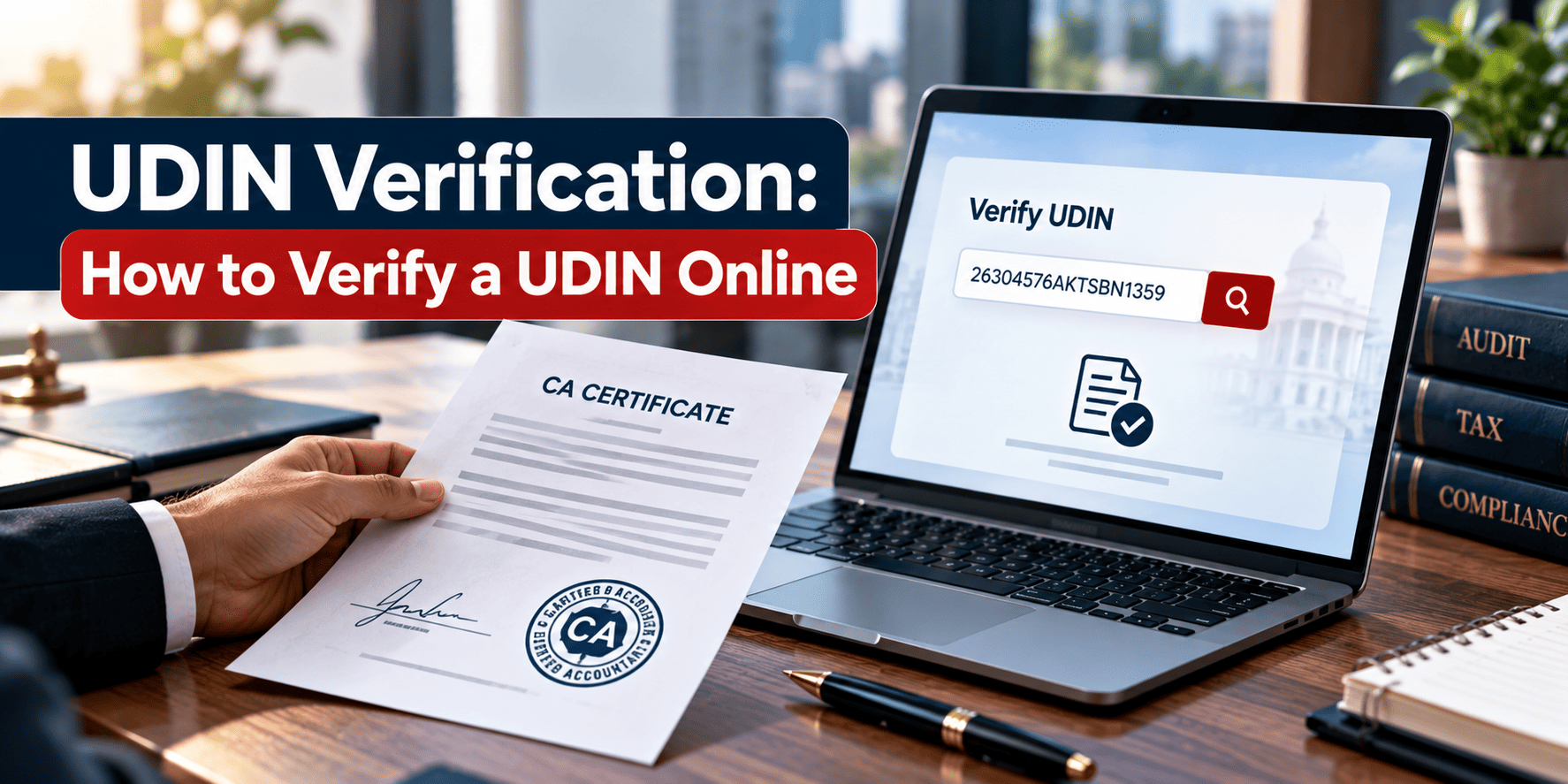
UDIN Verification means checking whether a Chartered Accountant actually issued a certificate or report carrying an 18-digit UDIN. You do this on the ICAI UDIN portal’s “Verify UDIN” page, where you enter the UDIN along with your name, mobile number and email, confirm two OTPs, and view the document details on screen. No login or registration is needed.
What Is UDIN Verification?
UDIN Verification is the process of confirming that a document signed or certified by a practising Chartered Accountant is genuine. The Institute of Chartered Accountants of India (ICAI) issues an 18-digit Unique Document Identification Number for almost every certificate, audit report and attestation a CA signs. When you verify that number online, the ICAI portal pulls up the details the CA entered when they generated it.
Think of it as a receipt check. The CA “prints” the receipt when they certify a document. You scan it against ICAI’s records before you trust what’s written on the paper.
This matters because a signature and a rubber stamp are easy to fake. A system-generated number tied to ICAI’s own database is much harder to forge.
Why Does UDIN Verification Matter?
Banks, employers, foreign consulates, tax authorities and regular businesses rely on CA-certified documents every day, from net worth certificates for a loan application to tax audit reports filed with the Income Tax Department. Before UDIN existed, some individuals impersonated Chartered Accountants and issued fake certificates that looked convincing on paper.
ICAI made UDIN mandatory in phases starting 1 February 2019 for all certificates, extending to GST and tax audit reports from 1 April 2019, and to remaining audit and assurance work from 1 July 2019. That phased rollout is why almost every CA certificate you’ll encounter today should carry one.
There’s a practical side too. The Income Tax e-filing portal now cross-checks an uploaded UDIN against five parameters, the CA’s membership number, the UDIN itself, the assessment or financial year, the form number and the assessee’s PAN. If even one of these doesn’t match, the UDIN gets invalidated on the e-filing portal itself. So verification isn’t just a manual courtesy check anymore. It’s built into government systems.
What Does the 18-Digit UDIN Format Mean?
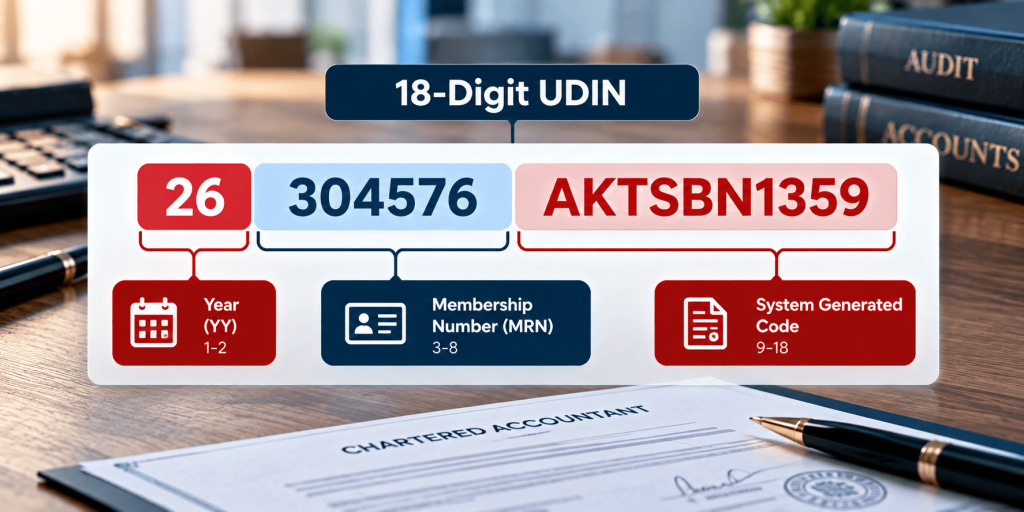
A UDIN isn’t a random string. It follows a fixed structure, so once you know the pattern, you can sanity-check a number before you even run it through the portal.
| Position | Characters | What It Represents |
| 1-2 | YY | Last two digits of the year the UDIN was generated |
| 3-8 | MRN (6 digits) | The Chartered Accountant’s ICAI Membership Registration Number |
| 9-18 | AANNNAANNN (10 characters) | A system-generated alphanumeric code unique to that specific document |
For example, a UDIN like 26304576AKTSBN1359 tells you it was generated in 2026, by member number 304576, with the remaining ten characters acting as that document’s unique fingerprint.
How to Verify a UDIN Online?
Here’s the actual step-by-step UDIN Verification process, matching exactly what’s live on ICAI’s portal after the DigiCA migration.
- Go to the “Verify UDIN” page on the ICAI UDIN portal (udin.icai.org/search-udin).
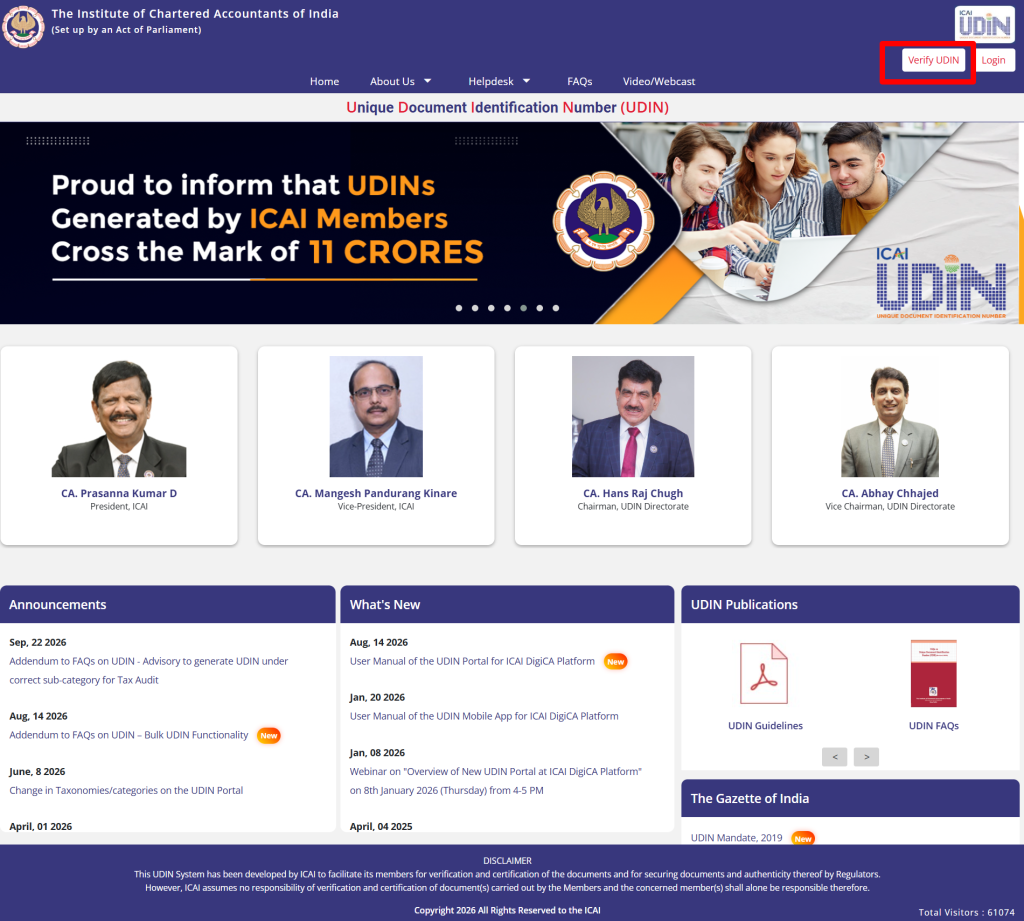
2. Select who you’re verifying as, from the dropdown: Authorities, Regulators, Banks, or Others.
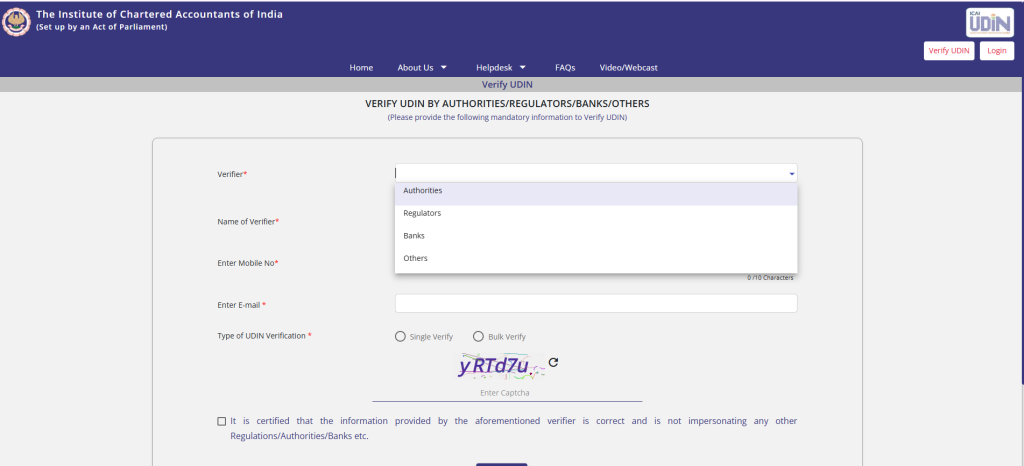
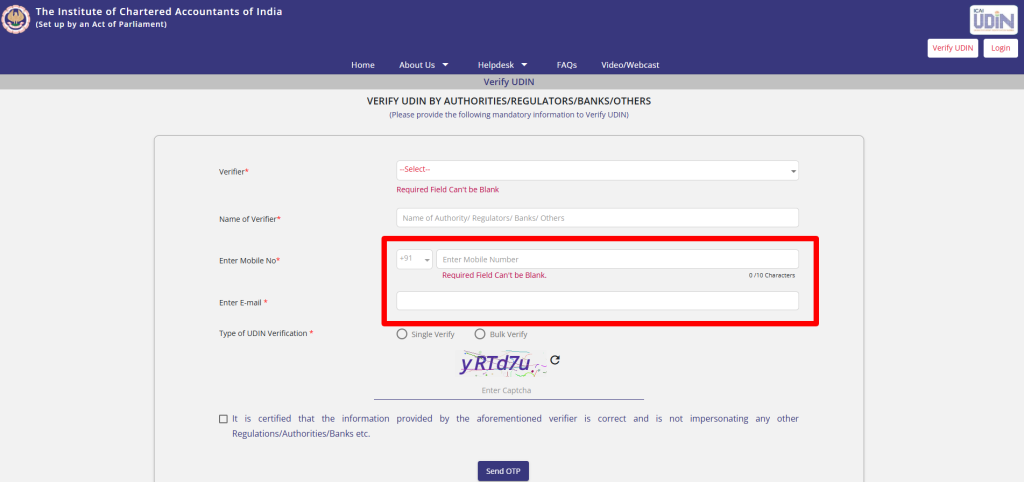
3. Enter your name, mobile number and email address.
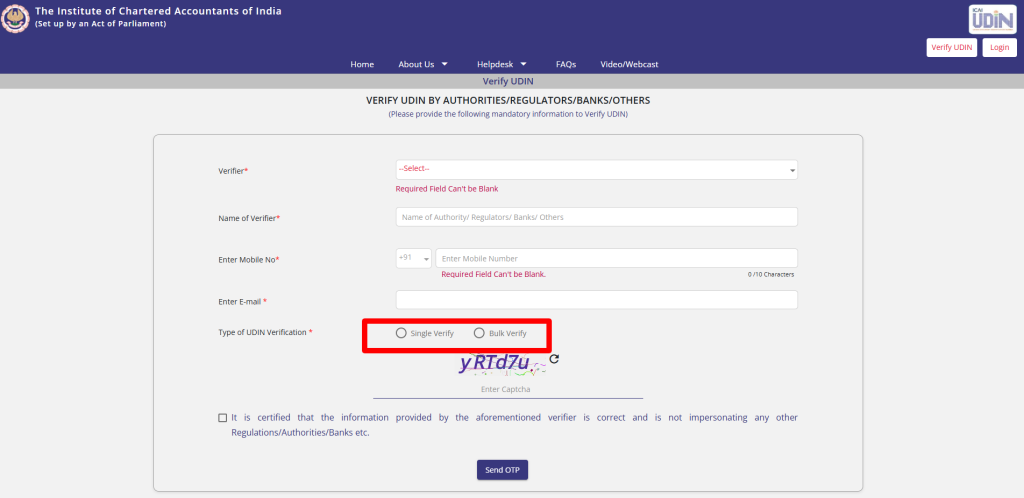
4. Choose “Single Verify” if you’re checking one UDIN, or “Bulk Verify” if you have several to check together.
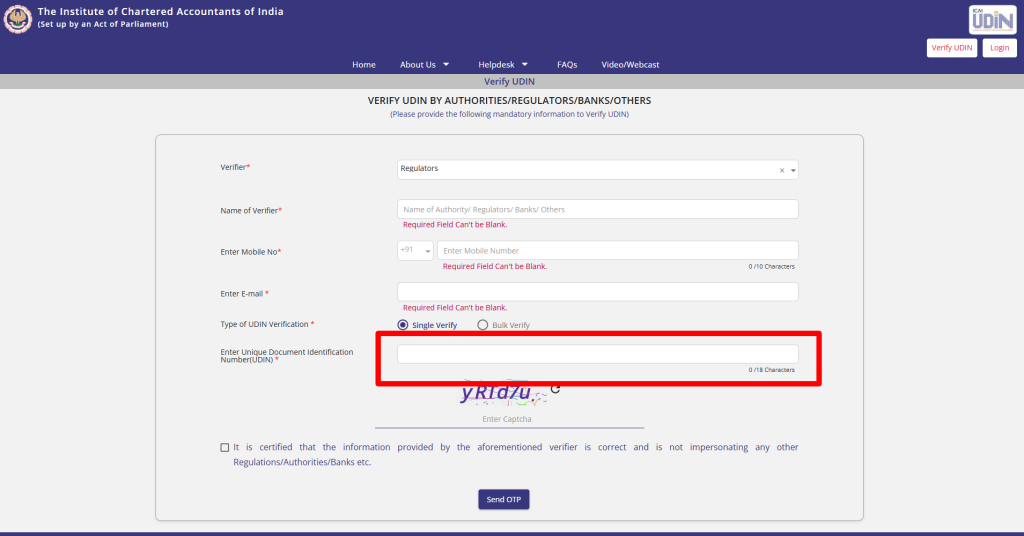
5. Type in the 18-digit UDIN exactly as it appears on the document. Watch out for characters that look alike, like the letter O and the number 0.
6. Enter the captcha and tick the declaration confirming you’re not impersonating any authority, regulator or bank.
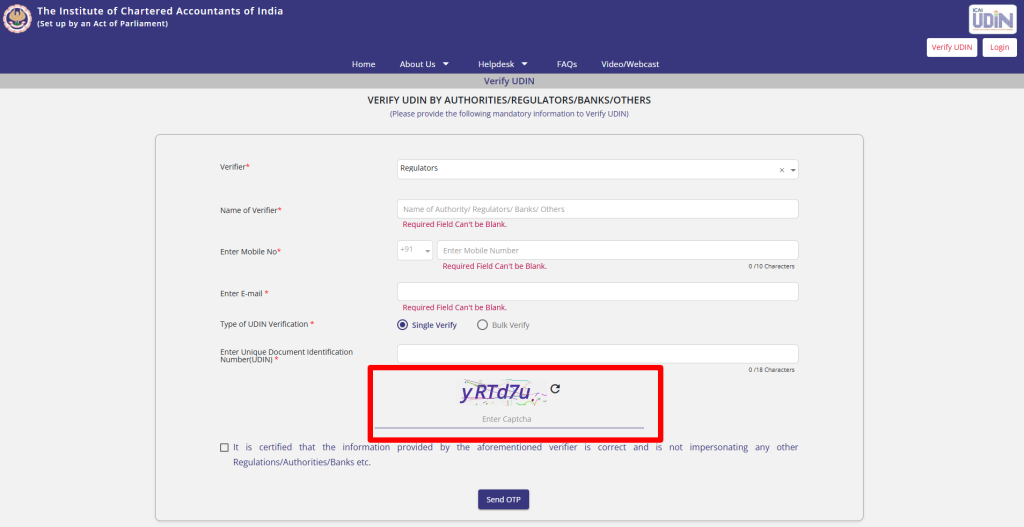
7. Click “Send OTP.” Two separate OTPs will land, one on your mobile and one in your email inbox.
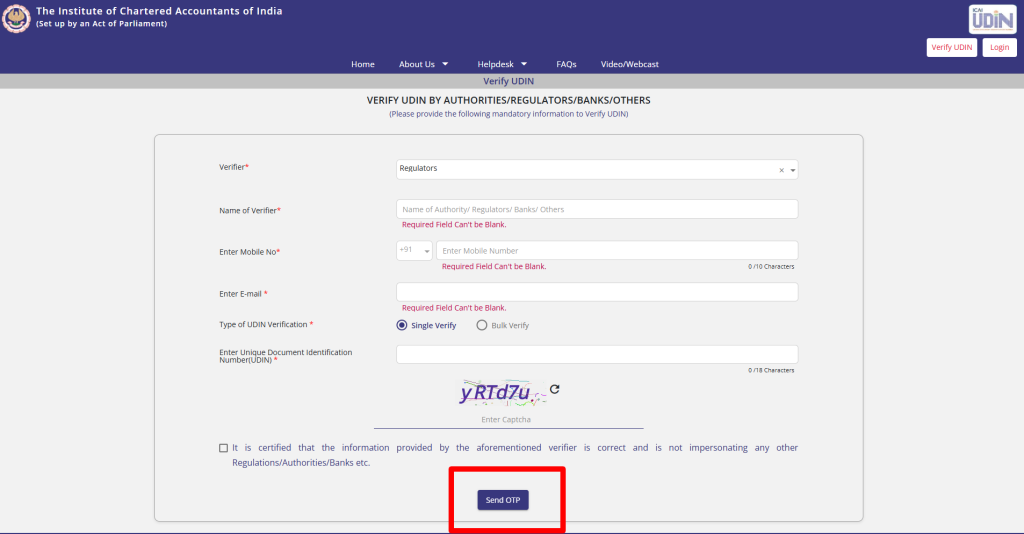
8. Enter and confirm both OTPs.
9. Once both are validated, the portal displays the document details tied to that UDIN, so you can check them against the physical or scanned copy in front of you.
What Details Do You Need Before You Start UDIN Verification?
Keep these ready before you open the portal, so you’re not hunting for information halfway through:
- The 18-digit UDIN, copied exactly from the certificate or report
- Your own name (as the verifier, not the CA’s name)
- A working mobile number you can access right away
- An email address you can check immediately, since the OTP window is short
- The verifier category you fall under (Authority, Regulator, Bank, or Others)
Most first-time verifiers stumble on that last point. If you’re an individual checking a certificate someone handed you personally, for example a rent agreement guarantor letter or a visa document, you’ll usually pick “Others.”
Who Can Verify a UDIN?
ICAI built the “Verify UDIN” facility for four broad categories of people, and each tends to use it for slightly different reasons.
| Verifier Category | Typical Examples | What They’re Usually Checking |
| Authorities | Income Tax Department, ROC/MCA officials | Whether a tax audit report or a compliance certificate filed with the government is genuine |
| Regulators | SEBI, IRDAI, stock exchanges | Authenticity of certificates submitted as part of regulatory filings |
| Banks | Public and private banks, NBFCs | CA-certified turnover, stock statements and net worth certificates before sanctioning loans |
| Others | Employers, landlords, foreign consulates, individuals | Any CA-signed document received directly, from salary certificates to visa-related paperwork |
What Shows Up After You Verify a UDIN?
Once both OTPs clear, the portal reveals the document details the CA entered at the time of generation. This usually includes the type of document, the date it was signed, the firm name (if the CA generated it on behalf of one), and the key financial figures or descriptors the CA logged against it.
Here’s something most articles skip over: the moment you complete a verification, ICAI automatically emails and texts the concerned Chartered Accountant, sharing your name and contact number as the person who just checked their UDIN. So this isn’t a silent, one-way lookup. The CA finds out someone looked at their certificate, which is a reasonable trust mechanism running in both directions.
Can You Verify More Than One UDIN at a Time?
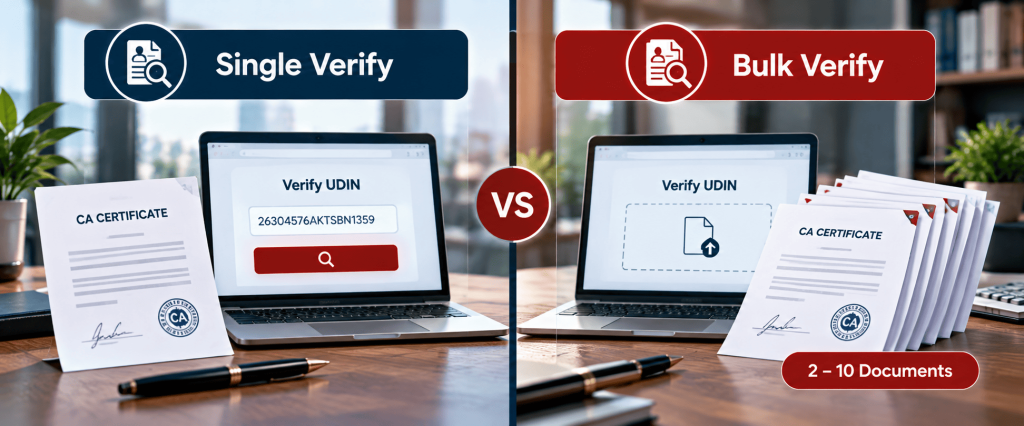
Yes. If you’re a bank processing several loan files in one sitting, or an employer verifying certificates from multiple job applicants, checking each UDIN one by one gets tedious fast. ICAI’s Bulk Verify option lets you check between 2 and 10 UDINs in a single attempt.
You can either type them in manually, where the form starts with two rows and lets you add more, or download ICAI’s Excel template, fill it in, and upload it directly. Either way, you still only need to complete one set of OTPs to unlock the results for all the UDINs in that batch.
What If the UDIN Verification Fails or Shows No Result?
A few things can cause this, and they don’t all point to fraud:
- Typing error. UDINs mix letters and numbers, so a single mistyped character is the most common reason for a “not found” result. Re-check against the original document.
- The UDIN was never generated. If a document that should carry a UDIN doesn’t have one, or the number simply doesn’t exist in ICAI’s records, that’s worth flagging seriously. It could mean the certificate wasn’t actually issued by a practising CA.
- The UDIN was revoked. A CA can withdraw a UDIN within 48 hours of generating it, along with a written reason. If you search a revoked UDIN, the portal shows that revocation narration and the date it was revoked, instead of a blank result.
- Portal downtime. ICAI occasionally takes the system offline briefly for maintenance. If this happens, try again after some time rather than assuming the worst immediately.
A quick reality check worth building into your process: a “not found” result on a document that’s supposed to carry a mandatory UDIN is a stronger warning sign than most people treat it as.
Do You Need to Register to Verify a UDIN?
No. Registration on the UDIN portal is only for practising Chartered Accountants who need to generate UDINs. If you’re on the receiving end, a bank officer, an employer, a regulator, or just an individual who received a certificate, you don’t need an account at all. You fill in your details fresh every time you verify, which keeps the process open to anyone who needs it without adding a login barrier.
What Happens When a UDIN Is Revoked?
Chartered Accountants can revoke a UDIN they’ve generated, but only within 48 hours, and only by providing a valid reason along with OTP authentication. Once revoked, anyone who searches that UDIN afterward sees the revocation note and date instead of the original document details.
This is worth treating with the same seriousness as a failed verification. A revoked UDIN usually means the CA found an error after generating it, corrected course, and possibly reissued a fresh one. If you’re relying on a document with a revoked UDIN, it’s reasonable to ask the CA or firm for the replacement certificate and its updated number.
How Is UDIN Verification Different from GSTIN Verification?
People sometimes confuse the two because both involve typing a number into a government-linked portal and getting back official details. They serve completely different purposes though.
| Basis | UDIN Verification | GSTIN Verification |
| Issued by | ICAI (Institute of Chartered Accountants of India) | GSTN (Goods and Services Tax Network) |
| What it confirms | That a specific certificate or report was genuinely signed by a practising CA | That a business is genuinely registered under GST |
| Format | 18-digit alphanumeric code | 15-digit alphanumeric code |
| Where you verify | udin.icai.org | GST Portal (services.gst.gov.in) |
| Who typically checks it | Banks, regulators, employers, authorities | Buyers, vendors, tax officials before a transaction |
If you’re also dealing with tax registration numbers on the same set of documents, our detailed guide on GSTIN meaning, format and verification covers that process step by step.
What Mistakes Should You Avoid During UDIN Verification?
- Don’t stop at “UDIN found.” Compare the figures the portal displays against the actual certificate in your hand. A valid UDIN confirms the CA issued something, not that every number on your copy matches what was originally certified.
- Don’t confuse ICAI’s UDIN with the separate systems run by other institutes. The Institute of Company Secretaries of India (ICSI) issues its own 17-digit UDIN for Company Secretaries, and the Institute of Cost Accountants of India runs a parallel system for Cost Accountants. A CA’s UDIN will never verify correctly on either of those other portals, and vice versa.
- Don’t skip the OTP step or assume pasting the UDIN alone is enough. The portal only reveals document details after both OTPs are validated.
- Don’t ignore a revocation notice. Treat it the same way you’d treat a failed verification.
- Don’t verify anywhere except udin.icai.org. Copycat sites asking for your mobile number and email under the guise of “instant UDIN check” are a phishing risk, since that’s exactly the personal information a scammer would want.
This is where many of ICAI’s older resources are also worth a second look. If you’re reading an FAQ PDF from before December 2025, some login and generation details will be outdated because of the DigiCA migration, even though the verification steps for third parties have stayed largely the same.
Why Do Banks Insist on UDIN Verification Before Releasing Loans?
This isn’t a hypothetical concern. State Bank of India issued an internal circular back in December 2018 directing branch managers to verify the authenticity of CA-certified financial documents through UDIN before sanctioning credit facilities to borrowing units. Several other public and private banks adopted similar internal practices soon after.
The reason is straightforward. Turnover certificates, stock statements and net worth certificates carry real weight in a loan file. A fabricated certificate showing inflated turnover can help a borrower unlock credit they wouldn’t otherwise qualify for. UDIN Verification gives the bank’s credit team a quick, independent way to confirm the certificate wasn’t forged before the money moves. If your business regularly submits CA-certified documents as part of loan applications, it’s worth asking your accounting services provider to confirm every certificate carries a valid, verifiable UDIN before you submit the file.
FAQs
1. Is UDIN the same as a CA’s membership number?
No. The membership number is only one part of the UDIN. The full 18-digit code also includes the year of generation and a system-generated alphanumeric segment unique to that specific document.
2. Can I verify a UDIN without knowing which CA issued it?
Yes. You only need the UDIN itself to run a verification. The portal reveals the associated CA and document details after your OTPs are validated, so you don’t need to know the CA’s identity beforehand.
3. What if a CA refuses to share the UDIN for a certificate?
Since UDIN has been mandatory on most eligible certificates since 2019, a genuine certificate should already carry one printed or handwritten on it. If a CA won’t provide it for a document that clearly requires one, that’s a reasonable reason to ask questions before relying on the certificate.
4. Does UDIN verification tell me if the CA is currently practising?
Not directly. Verification confirms the document was logged against a valid membership number at the time of generation. It doesn’t show real-time Certificate of Practice status, so for that specific check, you’d need ICAI’s separate member search facility.
5. Can a bank reject a loan file just because UDIN verification failed?
Yes, and many do. Given that banks like SBI have formal circulars requiring this check before credit sanction, a failed or missing UDIN on a submitted certificate can genuinely stall or block loan processing until a valid one is produced.
6. Is there a mobile app to check UDIN on the go?
Yes. ICAI launched a dedicated UDIN mobile app for both Android and iOS on 30 December 2025, alongside the DigiCA platform migration, so field verification no longer needs a desktop browser.
7. Do UDINs generated before the DigiCA migration still work for verification?
Yes. The December 2025 migration changed how Chartered Accountants log in and generate new UDINs. It didn’t wipe or alter historical UDIN records, so older, valid UDINs still verify normally.
8. Can I verify a UDIN printed on an old certificate from 2019?
Yes, as long as the UDIN was genuinely generated on the portal at that time. Verification works the same regardless of how old the underlying document is.
9. Is the UDIN used by Chartered Accountants the same system as the one used by Company Secretaries?
No. They sound identical but run on entirely separate portals. ICAI’s UDIN is 18 digits for Chartered Accountants, while ICSI’s UDIN is a 17-digit code for Company Secretaries, checked on ICSI’s own portal, not ICAI’s.
10. Will the Chartered Accountant find out if I verify their UDIN?
Yes. ICAI automatically sends the concerned member an email and SMS alert with your name and contact number whenever someone verifies a UDIN linked to their certificate.
You may also like


What GLA Membership Can Mean for Logistics Businesses
GLA Membership can help a logistics business find overseas partners, but the de