
GeM Portal Registration: Eligibility, Process & Documents
GeM Portal Registration is how a business gets approved to sell goods or services directly to Indian government departments, PSUs, and other public buyers. Most Indian entities with a valid PAN and a bank account in the business's name can apply for free at gem.gov.in. Approval usually takes a few working days once your documents match across PAN, GST, and bank records.
Government departments in India no longer float open newspaper tenders for routine purchases. Almost all of it happens on one platform now, the Government e-Marketplace, known as GeM. If your business wants a share of that buying, registration on GeM is where it starts.
The idea sounds simple. Sign up, list your products, wait for orders. In practice, first-time applicants stumble on things nobody warns them about. A spelling difference between your PAN and your electricity bill. A bank account still in your personal name instead of the firm's name. A GST number that's technically active but hasn't filed a return in months. Any of these can leave an application sitting unapproved for weeks.
This guide walks through who can register, what documents you actually need, the exact steps on the portal, and what happens to your money and your account once you're in.
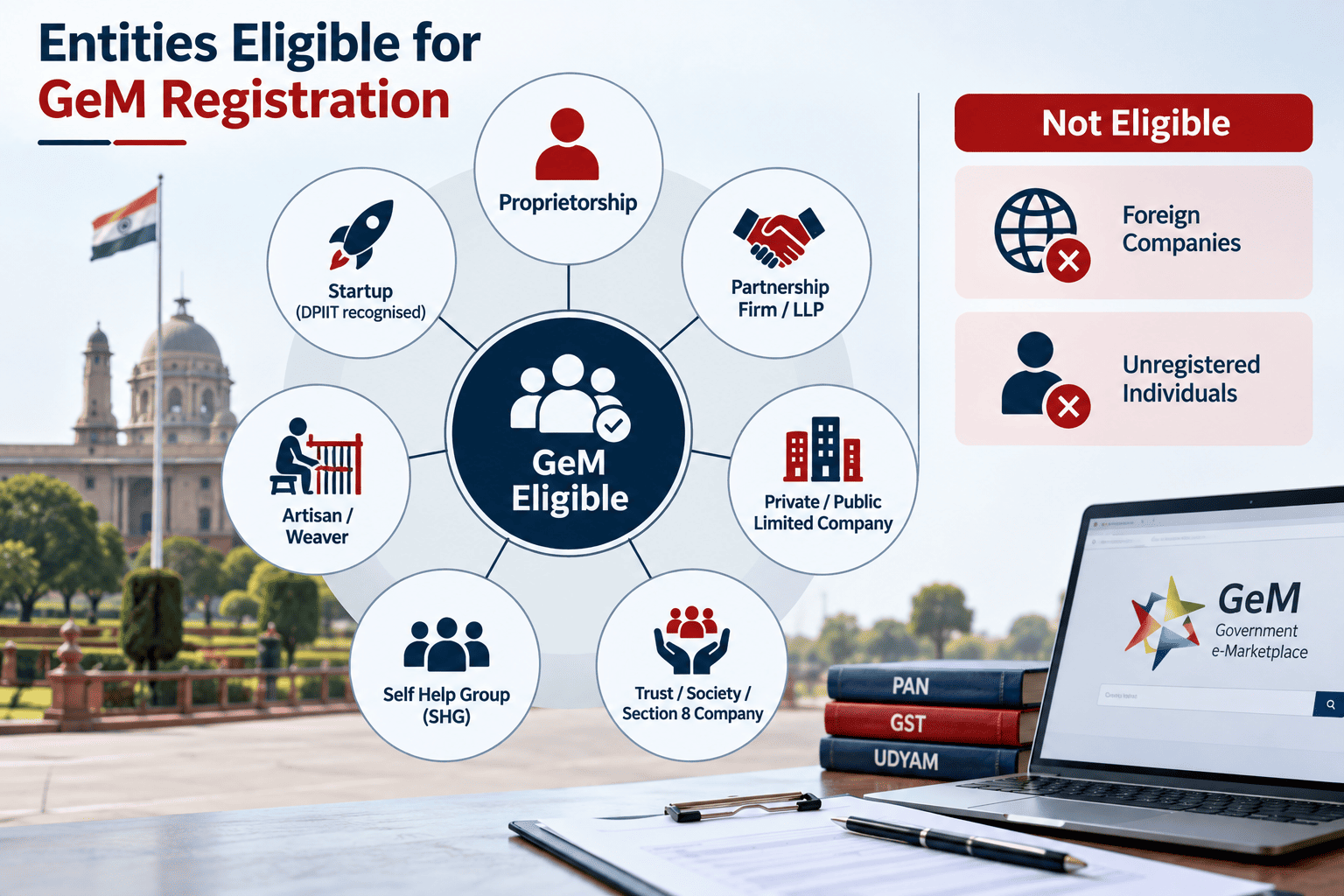
Who Is Eligible to Register on the GeM Portal?
Eligibility on GeM is broader than most licensing schemes. If you run a legally recognised business in India, you can almost certainly register.
You're eligible if you are:
-
A Sole Proprietorship
-
A Partnership Firm
-
A Limited Liability Partnership (LLP)
-
A Private Limited or Public Limited Company
-
A One Person Company (OPC)
-
A Trust, Society, or Section 8 Company
-
A Cooperative Society or Self-Help Group (SHG)
-
An individual artisan, weaver, or Khadi/KVIC-affiliated producer
-
A DPIIT-recognised startup
|
Category |
Eligible on GeM? |
Notes |
|
Manufacturers / OEMs |
Yes |
Usually needs Vendor Assessment |
|
Traders / Authorised Dealers |
Yes, as Resellers |
Needs OEM authorisation for that brand |
|
Service Providers |
Yes |
Manpower, IT, consultancy, transport, and 300+ other categories |
|
MSMEs and Startups |
Yes |
Get relaxed norms and fee exemptions |
|
Individuals with no business registration |
Generally no |
Exceptions for recognised artisans, weavers, SHGs |
|
Foreign companies without Indian registration |
No |
Must sell through an Indian subsidiary or authorised dealer |
|
Blacklisted entities / suspended PAN or GST |
No |
Must resolve the underlying issue first |
If you haven't formalised your business yet, this is usually the moment to do it. Getting a Sole Proprietorship, a Partnership Firm, an LLP, or a Private Limited Company registered first gives you a clean legal identity that GeM, your bank, and the GST department all recognise consistently, which avoids most of the mismatch problems that stall applications later.
What Documents Do You Need for GeM Portal Registration?
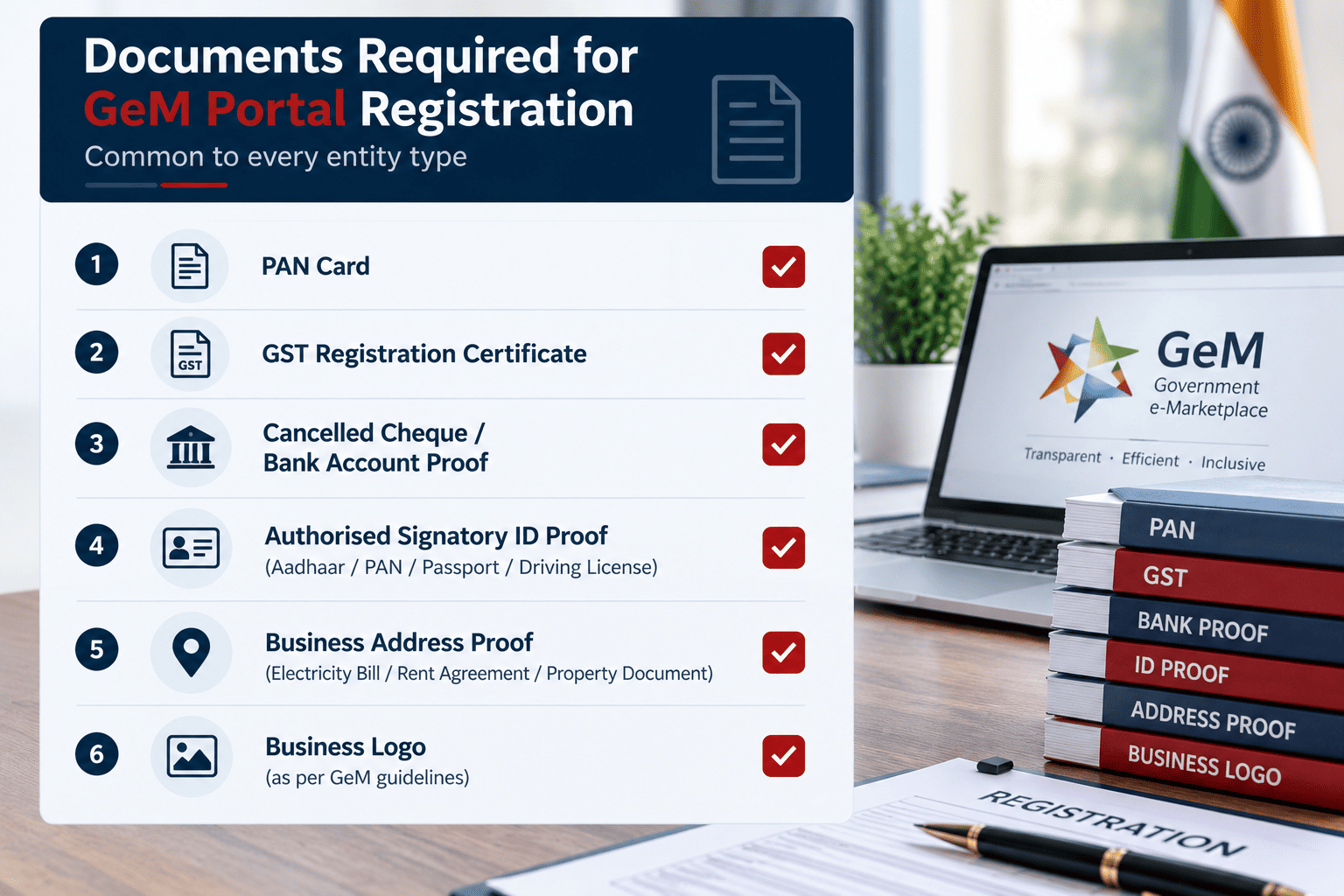
The documents you need shift slightly depending on your entity type, but a few things stay constant across every category: your PAN, a business bank account in the entity's own name, and consistent spelling of your name and address across every document you upload.
|
Entity Type |
Documents Typically Required |
|
Sole Proprietorship |
PAN and Aadhaar of proprietor, GST certificate or Shop & Establishment Certificate, bank proof |
|
Partnership Firm |
Partnership Deed, firm PAN, PAN and Aadhaar of authorised partner, GST certificate, bank proof |
|
LLP |
Certificate of Incorporation, LLP Agreement, LLP PAN, GST certificate, bank proof |
|
Private/Public Limited Company |
Certificate of Incorporation, MOA/AOA, company PAN, authorised signatory PAN and Aadhaar, GST certificate, bank proof |
|
Trust / Society / Section 8 Company |
Registration certificate, PAN, GST certificate (if applicable), bank proof |
|
MSME / Udyam holders |
Udyam Registration Certificate (recommended for every category above) |
Common to every entity type:
-
Valid PAN of the business
-
PAN and Aadhaar of the authorised signatory
-
Active bank account in the business's name, with a cancelled cheque or the first page of the passbook
-
A working mobile number and email ID for OTP verification
-
Photograph of the authorised signatory
-
GST registration certificate, where applicable (more on the exceptions below)
Here's a tip worth acting on before you touch the portal. Pull up your PAN, your GST certificate, your bank passbook, and your Aadhaar side by side. Check the business name, the address, and the spelling of your own name on each one. If your GST registration still shows an old address, fix that first through a GST amendment rather than letting GeM flag the mismatch mid-application.
Is GST Registration Mandatory for GeM Portal Registration?
Not always. GST is required for most sellers, but GeM does carve out real exceptions.
You generally need a valid GSTIN if your goods or services attract GST and your turnover crosses the standard GST threshold. But if you deal exclusively in GST-exempt goods or services, or your turnover sits below the applicable GST registration threshold, you can register on GeM using just your PAN. Artisans, weavers, registered cooperatives, and certain government-recognised categories are the groups that most commonly use this route.
One practical note. Even where GST isn't mandatory for basic registration, most government buyers prefer sellers who carry a GSTIN, since departments need a proper GST invoice to claim input tax credit. If you're planning to bid on anything beyond small-value direct purchases, getting GST registration in place widens the orders you can realistically compete for.
How Do You Register on the GeM Portal? Step-by-Step Process
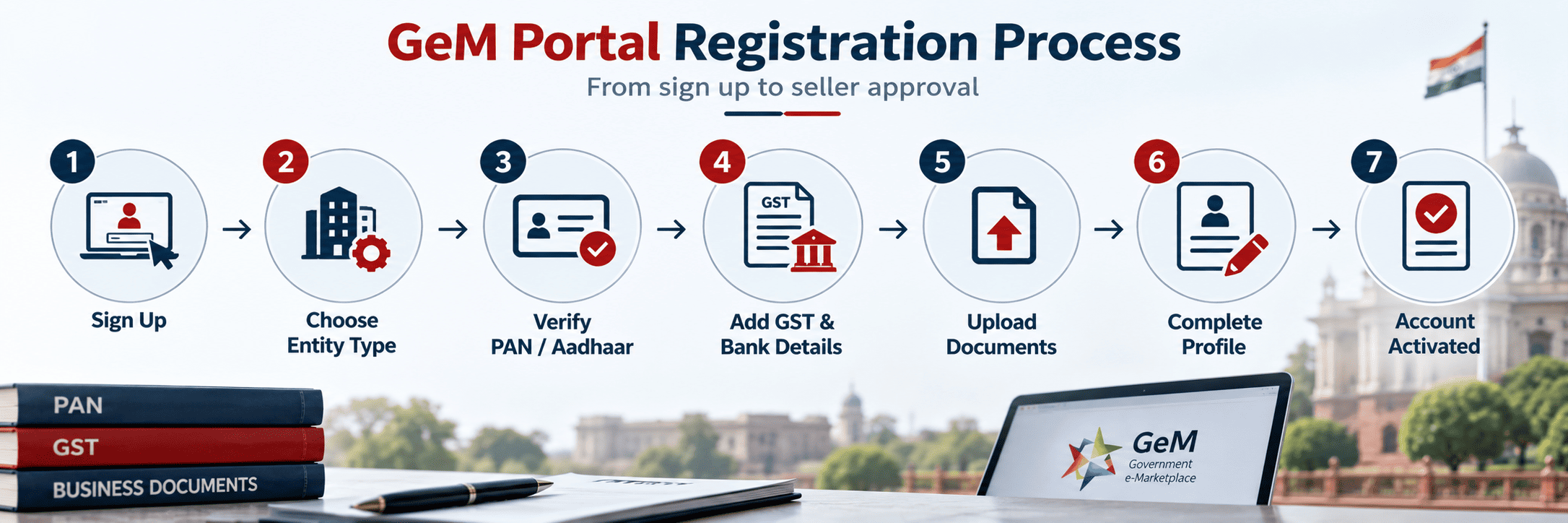
The registration itself runs entirely online. Here's how it goes from start to a live seller account.
-
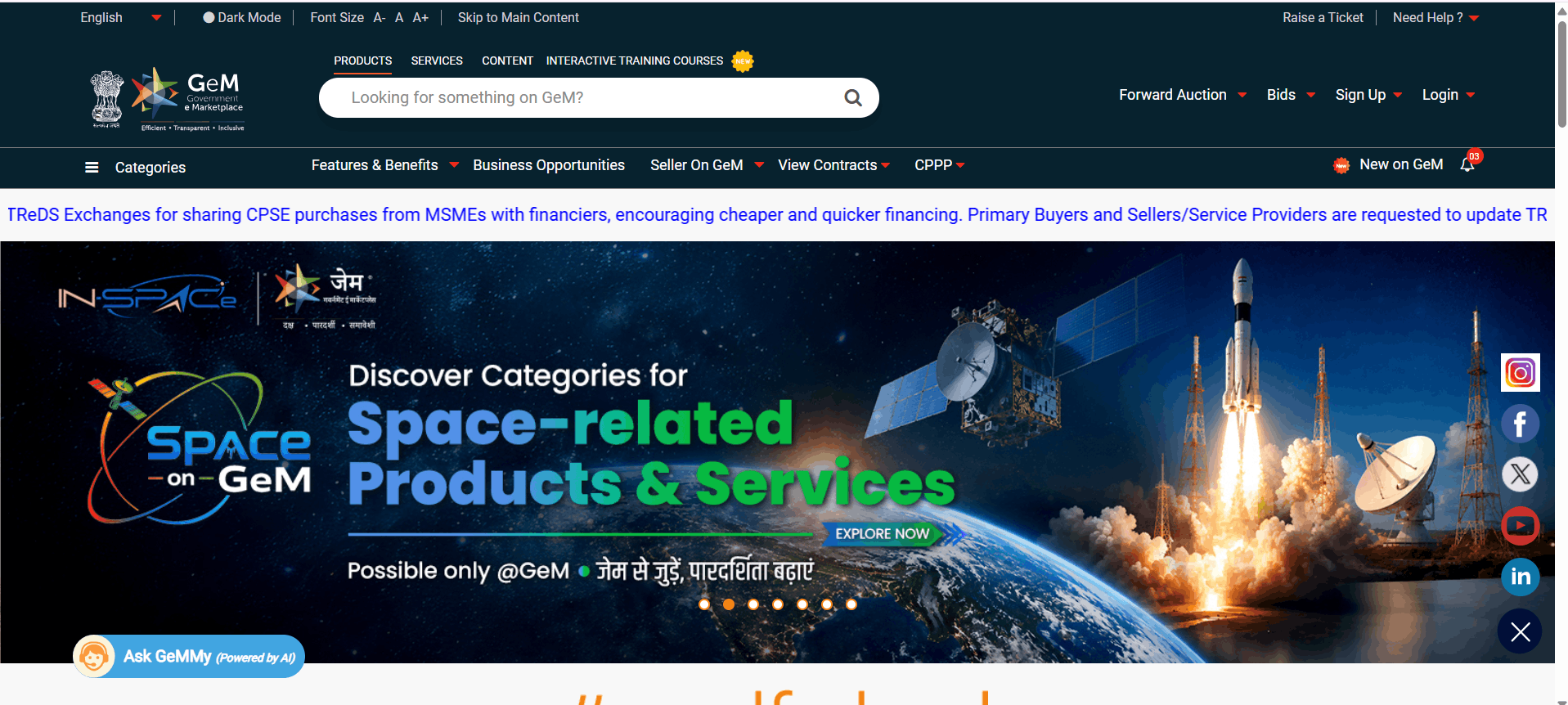
Visit the official portal. Go to gem.gov.in. Don't use any other site claiming to be GeM's registration page.
-
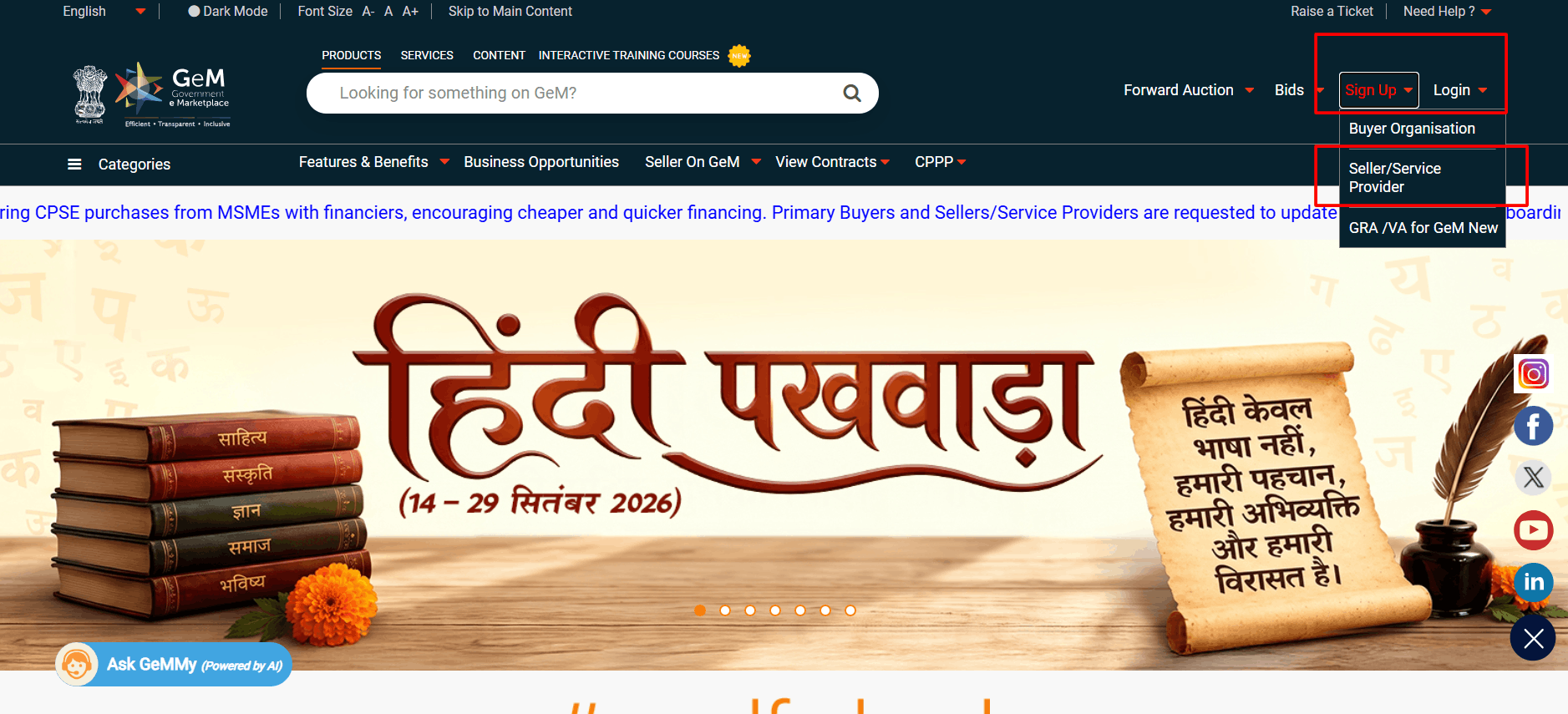
Click Sign Up, then select Seller. Buyer registration is a separate, restricted flow for government departments only.
-
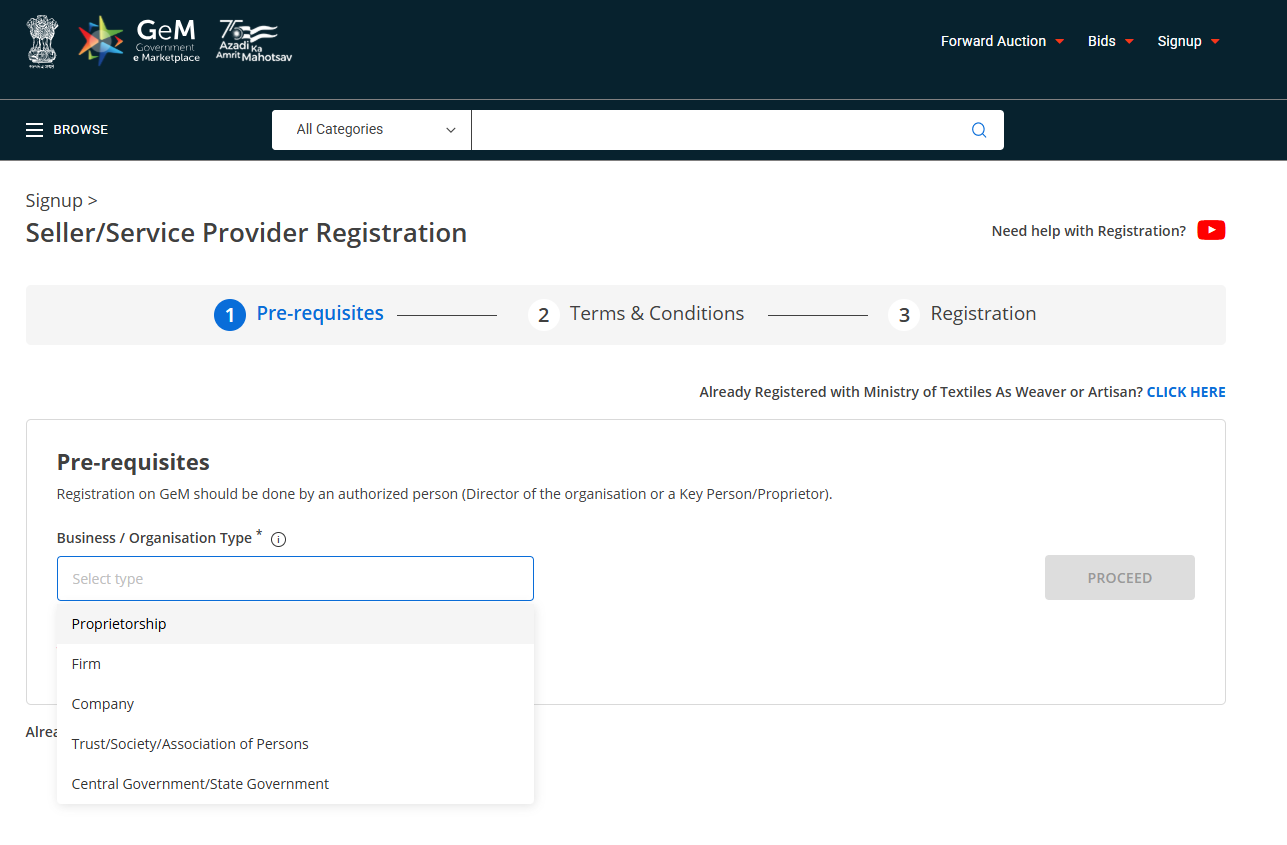
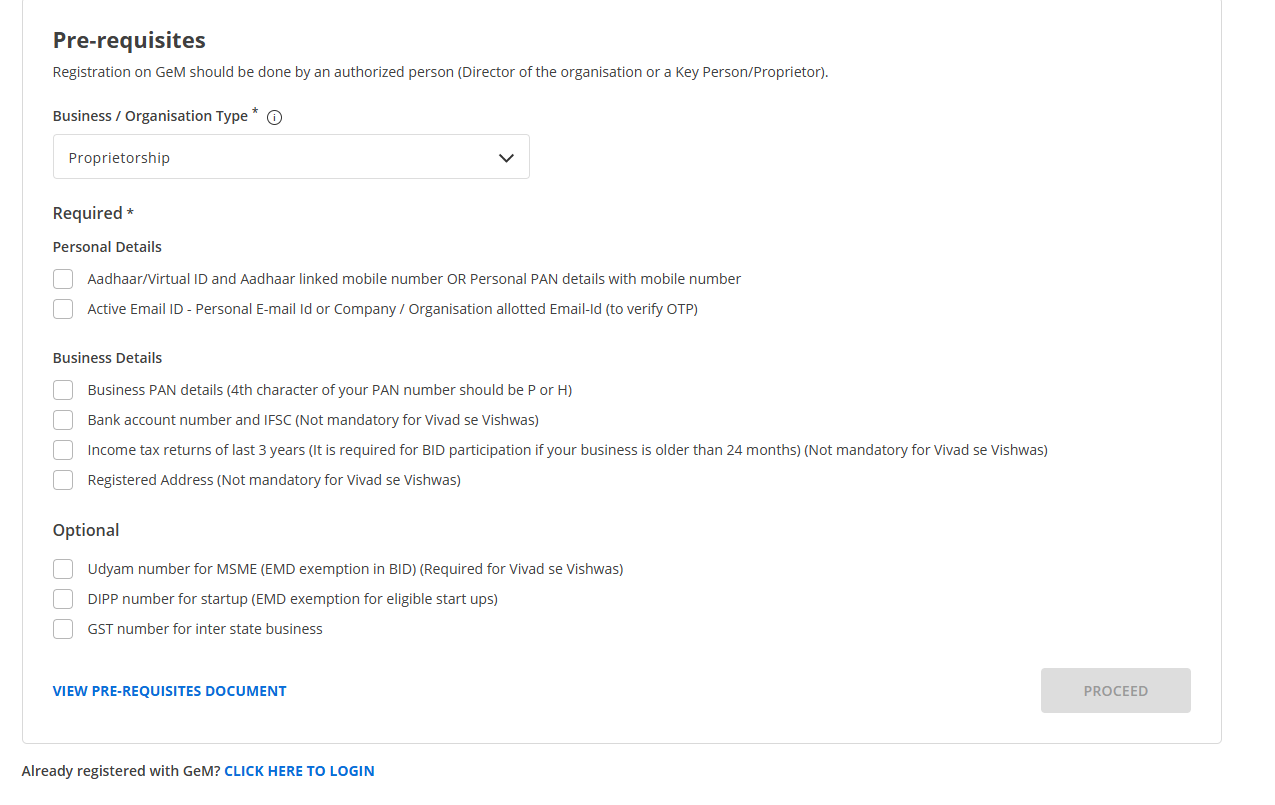
Choose your business type. Pick Proprietorship, Partnership/LLP, Company, or Trust/Society/AOP. This choice decides which document checklist the portal shows you next.
-
Verify your identity. Enter your PAN or Aadhaar, then confirm the OTP sent to your linked mobile number.
-
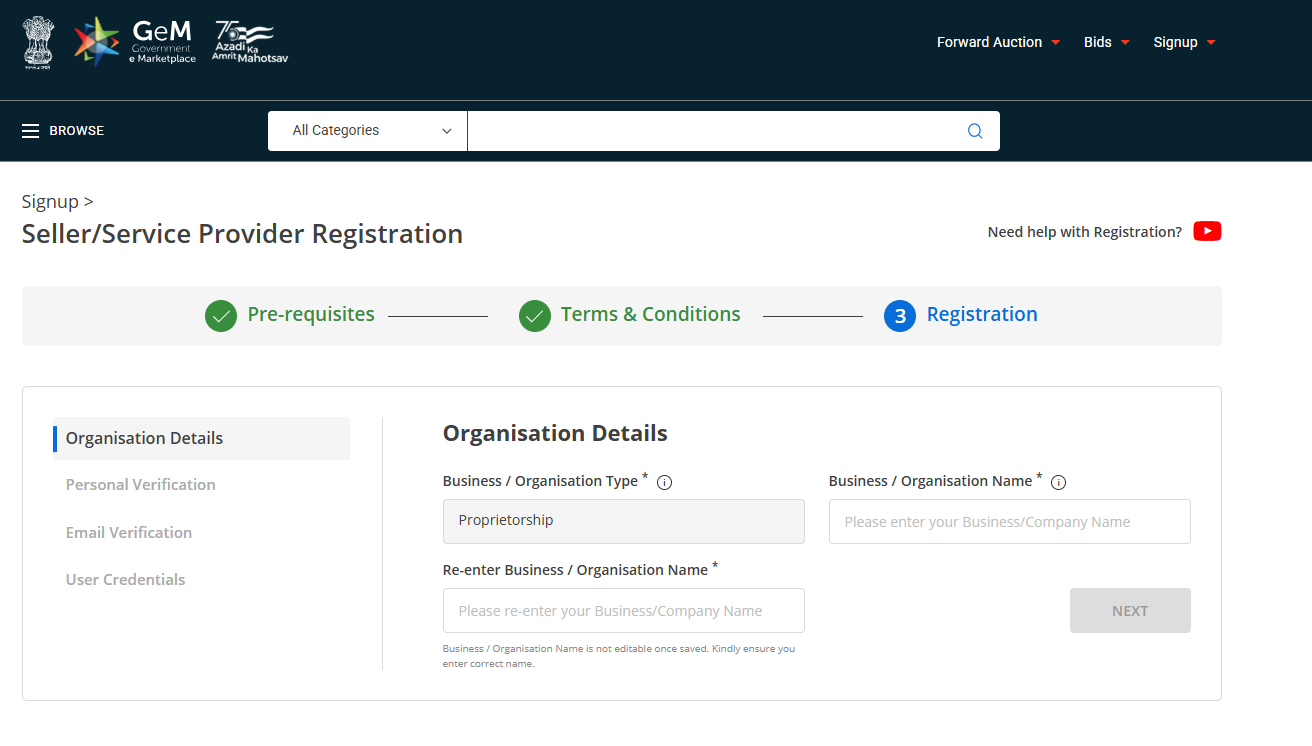
Enter organisation details. Business name, registered address, and the primary contact person's details.
-
Add GST details, if applicable. GeM cross-checks this directly against GST department records in real time.
-
Enter your bank account details. Account number, IFSC code, and the branch name, matched against the account holder's name.
-
Upload your documents. PAN, business registration proof, GST certificate where relevant, and your cancelled cheque or passbook page.
-
Complete your business profile. Add your office address, select your product or service categories, and fill in any remaining profile sections.
-
Handle Caution Money and Vendor Assessment, if they apply to you. Covered in detail in the next two sections.
-
Submit for verification. Once your profile shows 100% complete, GeM's system runs its checks and activates your account.
You'll get a User ID and login credentials once the account is verified. Keep that login secure. It's how you'll manage your catalogue, respond to buyer queries, and track orders going forward.
What Is Caution Money, and Do You Still Need to Pay It?
Caution money is a refundable security deposit GeM has historically required from sellers, meant to discourage fake accounts and no-show suppliers.
|
Annual Turnover |
Caution Money (as commonly applied) |
|
Up to ₹1 crore |
₹5,000 |
|
₹1 crore to ₹10 crore |
₹10,000 |
|
Above ₹10 crore |
₹25,000 |
Exempt categories typically include MSE women entrepreneurs, MSE SC/ST entrepreneurs, artisans and weavers, DPIIT-recognised startups, and Self-Help Groups.
Here's where you need to be careful rather than take any single source at face value, including this one. GeM has been actively revising its Revenue Policy, and several recent updates describe caution money being phased out in favour of a "pay-as-you-grow" style Annual Milestone Charge, applied only once a seller crosses roughly ₹20 lakh in sales within a financial year, rather than charged upfront at registration. Different sources currently disagree on whether the old turnover-based slabs above are still active or already retired for new sellers. Before you budget for this, check the exact requirement shown on your own Seller Dashboard on gem.gov.in. It's the only place that reflects the policy version actually applied to your account.
What hasn't changed is the transaction fee structure on completed orders. Orders up to ₹10 lakh attract zero transaction charge. Orders between ₹10 lakh and ₹10 crore are charged 0.30% of the order value. Orders above ₹10 crore pay a flat ₹3 lakh fee, regardless of how much larger the order gets.
Quick tip: If you do pay caution money and later stop selling on GeM, it's refundable. Close out pending orders, clear any buyer complaints, and raise a refund request from your dashboard. Refunds typically land in your account within 15 to 30 working days.
What Is Vendor Assessment, and Who Needs It?
Vendor Assessment is a separate credibility check GeM runs on manufacturers and certain service categories. It looks at your organisational structure, financial standing, manufacturing or service delivery capability, and past track record, so buyers get some assurance about who they're actually ordering from.
If you're registering as an Original Equipment Manufacturer, or OEM, Vendor Assessment is generally mandatory before you can list products under your own brand. The assessment is currently carried out by RITES Ltd, which took over this role from the Quality Council of India in recent years.
You're typically exempt from Vendor Assessment if you are:
-
An OEM with an annual turnover of ₹500 crore or more
-
A Public Sector Undertaking offering its own products
-
An OEM that already holds valid NSIC registration
-
An entity registered with KVIC, ACASH, TRIFED, or similar recognised bodies
The assessment fee is tiered by turnover rather than flat, and it changes from time to time, so treat any specific figure you see online as indicative rather than final. Confirm the current fee on your Seller Dashboard before you initiate the process. Once cleared, a Vendor Assessment generally stays valid for around three years before it needs renewal.
OEM or Reseller: Which One Are You on GeM?
This distinction decides what you can actually list and how much verification you'll go through.
|
Parameter |
OEM (Original Equipment Manufacturer) |
Reseller |
|
What you sell |
Products you manufacture or hold the brand for |
Products made by someone else's brand |
|
Vendor Assessment |
Usually mandatory |
Not required for the reseller itself |
|
Authorisation needed |
None, beyond your own registration |
OEM authorisation letter for each brand you resell |
|
Typical registrants |
Manufacturing units, brand owners |
Distributors, traders, authorised dealers |
|
Listing control |
You control specifications and pricing |
Bound by the OEM's specifications |
Suresh, who runs a small steel furniture manufacturing unit in Jaipur, registered as an OEM because he manufactures every almirah and filing cabinet he sells. His neighbour, who distributes a different manufacturer's office chairs across Rajasthan, registered as a Reseller instead and had to upload an authorisation letter from that manufacturer before GeM let the listings go live. Same portal, two very different document trails, because the underlying role was different.
If you make what you sell, register as an OEM. If you're distributing someone else's brand, you'll need that brand's written authorisation before your listings clear review.
What Benefits Do MSMEs, Startups and Women Entrepreneurs Get on GeM?
GeM builds several genuine advantages into the platform for smaller and priority-category sellers, on top of straightforward access to government buyers.
-
Fee exemptions: Most MSE, women-owned, SC/ST-owned, artisan, and DPIIT-startup categories skip caution money and, in several cases, Vendor Assessment fees.
-
Price-matching privilege: Under the government's MSE procurement policy, registered micro and small enterprises can match the lowest bid, or L1 price.
FAQS
Have questions about GeM Portal Registration?
We have you covered:
-
Does GeM seller registration have an expiry date, or is it valid for life?
The base seller account itself doesn't run on a fixed renewal cycle the way some licenses do. What does need periodic attention is your Vendor Assessment, typically valid for around three years, along with keeping your GST and Udyam certificates current, since GeM checks these against live government databases.
- Can an individual without a registered business sell on GeM?
- Do I need a Digital Signature Certificate (DSC) to complete registration?
- Can I run two separate GeM seller accounts under the same PAN?
- My GeM application got rejected. Can I fix the issue and reapply, or do I lose my slot?
- Can a freelancer or solo service provider register as a GeM seller?
- My Aadhaar isn't linked to my current mobile number. Can I still register?
- Can I change my entity type or business category after GeM approves my registration?
- Is there a minimum turnover or years-in-business requirement to register on GeM?
- Can an NGO, trust, or cooperative society register as a seller on GeM?


